4,8/5
4,8/5 


'/%3E%3C/svg%3E)
Secure digital identification & qualified electronic signing for notaries
Qualified electronic signatures for notaries in compliance with eIDAS requirements
- Easy for you and your clients
- Identification, digital signing and document sealing in one seamless flow
- Complete audit trail & LTV validation
- European-developed software
Certainty in the notarial process doesn’t have to be complicated
As a notary, you want to offer clients modern digital services without compromising on reliability or legal certainty. In practice, this often presents challenges. Email is unsuitable for exchanging confidential deeds and documents. In addition, identity and intent must be demonstrably recorded, while paper-based processes for powers of attorney, checks and archiving can cause unnecessary delays.
How do you combine the reliability required in notarial practice with the convenience clients expect today?
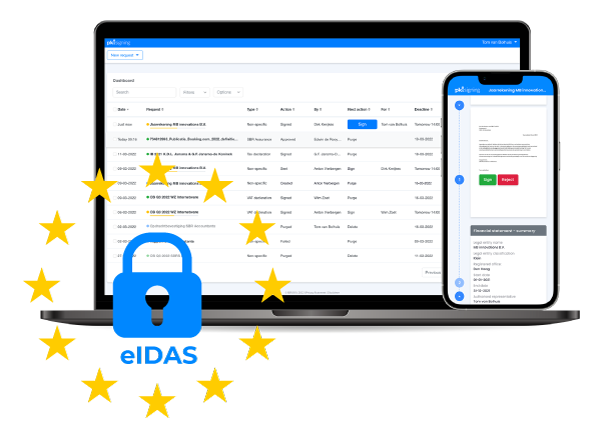
Digital identification and digital signing bring these processes together in one secure environment. Clients can securely identify themselves and digitally sign documents at the appropriate level of assurance. Every step is automatically recorded, giving you a complete file in which supporting evidence can easily be retrieved.
For notary offices, digitalisation is therefore not only about efficiency, but above all about certainty. Certainty that the identity of the parties involved has been carefully verified, that a qualified electronic signature can be used when required, and that processes comply with eIDAS requirements.
Innovate securely with PKIsigning

Certainty about identity and consent
Verify your clients’ identities online with a high level of assurance. Use qualified electronic signatures with a complete audit trail.

Legally valid signing in accordance with European regulations
A secure, qualified electronic signature that complies with the eIDAS framework — a sealed signed PDF, timestamp (LTV) and a complete signing log for every notary and notary office.

Secure exchange of documents
Examples for notaries
Secure sharing instead of email
Easily send sensitive documents using “Secure Sharing”, even when no signature is required.
Digital powers of attorney
Digital identification (UBO)
Perform reliable remote identity checks for UBOs as part of your Wwft compliance process.
Frequently asked questions
Can notaries use digital signatures in their processes?
Yes, but there is an important distinction. Documents that are not part of the notarial deed may be signed digitally, such as statements, client forms and preparatory powers of attorney. For notarial deeds themselves, or powers of attorney that directly lead to a deed, a physical meeting or the DOBV procedure regulated by the KNB remains mandatory.
How can PKIsigning support notaries with their Wwft obligations?
PKIsigning supports reliable client due diligence (KYC/CDD) by enabling secure identity checks and digitally signed UBO declarations. All actions are fully logged and timestamped, making client files audit-ready.
Is it necessary to replace email with “Secure Sharing”?
In many situations, email does not meet the security and confidentiality requirements of notarial practice. With “Secure Sharing”, you can send documents securely with logging, access control and the option to withdraw files. This significantly reduces the risk of data breaches and aligns with the requirements of the GDPR and the KNB Information Security Code of Conduct.
Does a qualified electronic signature (QES) provide the required level of assurance for a notary?
A QES provides the highest legal certainty under eIDAS and is suitable for many preparatory documents. For notarial deeds, qualified signing is only permitted within the notarial framework, such as DOBV.
We understand your process and have the experience to help
Helped more than 200 organizations move forward.
Trusted by organizations including KPMG, Visser & Visser, Anders Invest, Centraal Volmachtbedrijf, BG.legal and SBR Nexus.
More than 1.5 million essential documents securely signed.
Rated 4.8 out of 5 (★★★★+) by our customers.
Get started in three steps
1. Talk to an expert and get started right away
We’ll schedule a meeting to briefly discuss your case and answer any questions.
2. Start signing securely within one business day
Get quick access to the complete software platform and start signing documents securely.
3. Fully automate your signing process
Set up integrations, for example, and experience the convenience of secure digital signing.
Download this free PDF with valuable insights and tips
- What you need to know before you get started with digital signing.
- The top 10 most common challenges and solutions.
- Over 17 pages of explanations and background information
- Includes a process flowchart and three useful bonus tips!

Digital signing for notaries and clients